 factSocial
wellnessdaily
✓
· 2h
BREAKING: Drinking 3 cups of coffee a day adds 10 years to your life, according to a new study.
A browser extension for Firefox and Chrome that adds a Fact-check button to every Threads and Bluesky post. Powered by an LLM you control, running locally in LM Studio or via your own OpenRouter API key, with optional web search. Returns an inline verdict with sources, confidence, and a per-claim breakdown.
One click on the Fact-check button next to a post, and an LLM walks through the claims, hits the web, and returns a structured verdict that renders directly under the post.
True, MostlyTrue, Mixed, Misleading, False, Unverifiable, or Opinion. Each comes with a confidence score, summary, per-claim breakdown, and caveats.
The model can call a web_search tool to verify time-sensitive claims. The live card shows every query and its top results as the search runs.
No middleman server, no telemetry. Post text goes only to the LLM provider you chose. Search queries go only to the search provider you chose.
The whole thing takes about five minutes. You'll install the extension, open its preferences, pick an LLM provider, and (optionally) wire up a search provider.
Firefox is live on Mozilla Add-ons. The Chrome Web Store listing is still pending, so for now:
factsocial-chrome-0.2.0.zip from the GitHub repo, unzip it, then visit chrome://extensions, enable Developer mode, and click Load unpacked on the extracted folder.Either way, the Fact-check button will start appearing on every post on threads.net and bsky.app.
All of the configuration lives in your browser's extension settings page. To open it:
about:addons, click factSocial, then click the ⋯ menu and choose Preferences.chrome://extensions, find factSocial, click Details, then scroll to Extension options.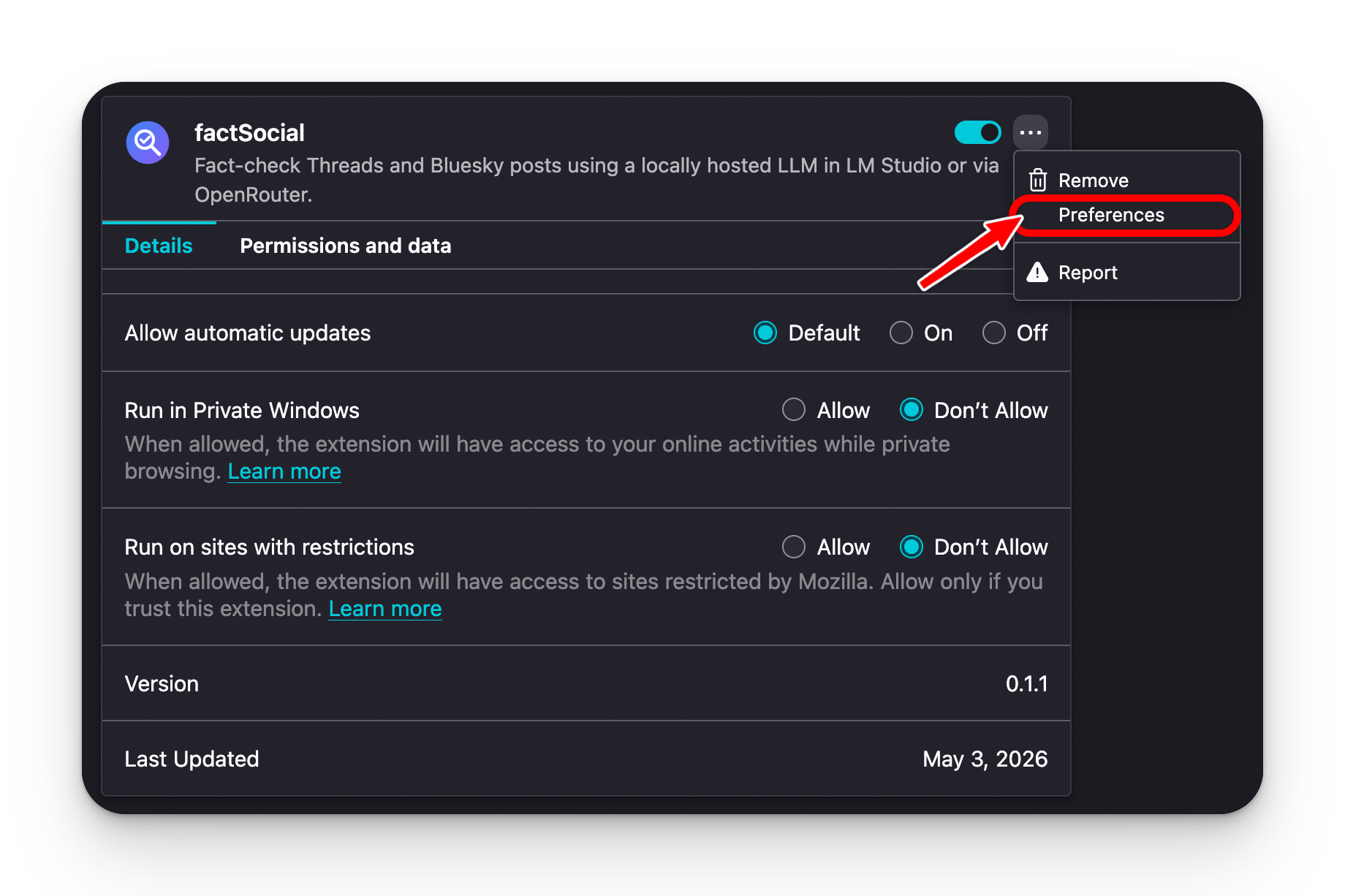
factSocial supports two routes. Pick whichever fits your priorities; you can switch any time in the extension's settings.
Runs entirely on your machine. No API key, no usage cost, no third-party transmission of post text.
qwen/qwen3.5-9b: a great tool-calling model that runs comfortably on most laptops.qwen3.5-9b, and click Start Server.One API key, 200+ models including free options. Start free with minimax/minimax-m2.5:free. No credit needed, and surprisingly good for fact-checking.
minimax/minimax-m2.5:free to start. Click Test connection.The model can use search to verify time-sensitive claims (current events, breaking news, recent statistics). Without search, it falls back to whatever's in the model's training data, which may be months or years old.
Tavily ranks results specifically for LLM consumption, so the model gets relevant snippets without scraping. Free tier covers 1,000 searches per month, far more than typical fact-checking needs.
Other options: DuckDuckGo (no API key, default; works without setup but is the most fragile and rate-limit prone), or Brave Search (free 2,000 queries/month with a key from brave.com/search/api).
The extension has no backend. Two destinations only, both chosen by you, both visible in the live progress card on every check.
web_search.
browser.storage.local and only sent to the provider they belong to. Not transmitted anywhere else.